Practical Guide to Organising a Health Checkup Medical Camp: A Complete SOP
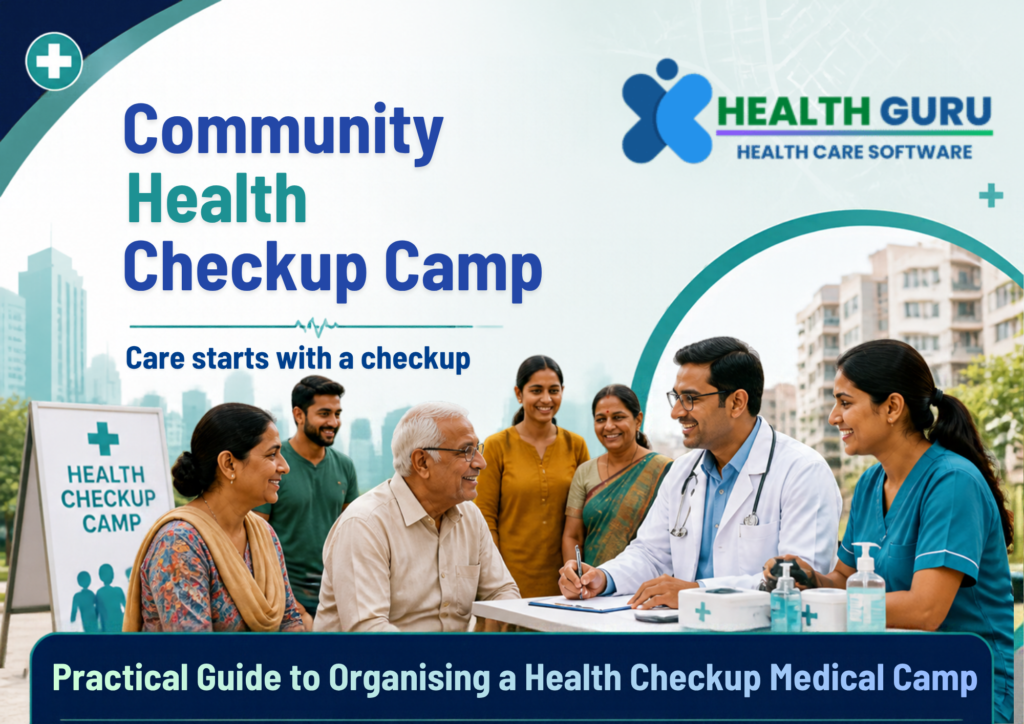
Organising a community, corporate, or rural health checkup medical camp is one of the most impactful ways for hospitals, clinics, and NGOs to deliver preventive healthcare and build community trust. However, without a structured Standard Operating Procedure (SOP), even well-intentioned medical camps can quickly suffer from overcrowded registration desks, misplaced paper prescriptions, and zero post-camp patient follow-up.
Whether you are planning a general wellness screening or a specialty outreach drive, this practical guide breaks down the end-to-end SOP—and shows how modern medical camp management software eliminates manual bottlenecks at every stage.
Phase 1: Pre-Camp Planning & Logistics (30 to 7 Days Prior)
A smooth camp day starts weeks in advance with clear scope, compliance, and digital readiness.
- Define Camp Scope & Target Demographics: Identify whether the camp focuses on general primary care (vitals, blood sugar, BMI) or specialized screenings (pediatrics, ophthalmology, cardiology, or women’s health). Estimate expected footfall (e.g., 200–400 attendees) to allocate doctors, volunteers, and consumables accurately.
- Venue Selection & One-Way Patient Flow: Select an accessible, ground-floor venue with clean washrooms, drinking water, power backup, and dedicated privacy screens for female and elderly examinations. Design a strict one-way patient flow (Entry $\rightarrow$ Registration $\rightarrow$ Vitals $\rightarrow$ Doctor Consultation $\rightarrow$ Diagnostics $\rightarrow$ Pharmacy $\rightarrow$ Exit) to prevent crowd congestion.
- Regulatory Compliance & Biomedical Waste: Secure local municipal or panchayat permissions and arrange an authorized biomedical waste management tie-up for safe disposal of sharps, cotton swabs, and diagnostic strips.
- Equip Your Team with Digital Tools: Rural and remote camp venues frequently suffer from poor internet connectivity. Instead of relying on error-prone paper registers, configure an offline medical camp app on tablets or smartphones. Using medical camp management software with offline data entry ensures your team can register patients and log clinical notes seamlessly, syncing everything to the cloud once connectivity returns.
- Local Outreach & Camp Promotion: Distribute multilingual pamphlets, collaborate with local community leaders, and send targeted WhatsApp or SMS invitations 7–10 days before the event.
Phase 2: Venue Setup & Team Briefing (1 Day Prior & Camp Morning)
- Multilingual Signage: Place clear directional boards from the main road to the venue entrance, and label every station clearly in the local language.
- Station & Emergency Readiness: Arrange shaded seating in waiting zones. Keep an emergency kit, oxygen cylinder, and standby ambulance ready at the exit gate, with clear route notes to the nearest referral hospital.
- The 30-Minute Morning Huddle: Gather all doctors, nurses, lab technicians, and volunteers before gates open. Review red-flag escalation criteria, break rotations, and conduct a 5-minute walkthrough of your patient registration software so every volunteer knows their exact workflow.
Phase 3: Camp Day Execution (The 6-Station Workflow)
To keep waiting times under 20 minutes, divide your venue into six streamlined stations powered by a centralized camp management system:
- Station 1: Triage & Token Generation Volunteers screen incoming attendees for acute red-flag symptoms (such as chest pain or severe breathlessness) for immediate priority doctor access. Standard attendees receive a unique digital Token ID.
- Station 2: Rapid Digital Patient Registration Using a mobile medical camp app, operators capture patient demographics (name, age, gender, mobile number) and chief complaints in under 45 seconds—eliminating duplicate entries and long queues outside the gate.
- Station 3: Vitals & Anthropometry Nurses record height, weight, BMI, blood pressure, pulse, $\text{SpO}_2$, and Random Blood Sugar (RBS). Entering these readings directly against the patient’s digital ID gives doctors instant visibility before the patient even enters the consultation booth.
- Station 4: Doctor Consultation & E-Prescriptions Physicians review pre-logged vitals, perform focused examinations, and generate structured digital patient records and prescriptions. If a patient requires advanced hospital care, the doctor flags them as a high-priority referral with a single tap.
- Station 5: Point-of-Care Diagnostics Lab technicians perform on-site ECGs, vision checks, or blood sample collections, tagging results directly to the patient’s unified profile.
- Station 6: Pharmacy Dispensing & Counseling Pharmacists view the digital prescription, dispense starter medications, check for allergies, and explain dosage schedules clearly to patients before exit.
Phase 4: Post-Camp Wrap-Up & Patient Follow-Up (1 to 7 Days Post-Camp)
Most medical camps fail at the final mile: turning one-time camp attendees into long-term healthy patients.
- Automated Camp Reporting & Analytics: Instead of spending days manually counting paper slips, medical camp management software instantly generates comprehensive camp reports—detailing total footfall, age/gender demographics, disease prevalence (e.g., newly detected hypertension or diabetes), and pharmacy stock consumption.
- Structured Camp Patient Follow-Up: Filter high-risk or referred patients from your dashboard and trigger automated SMS or WhatsApp reminders within 48 hours. Seamless clinic outreach software bridges the gap between field screening and in-clinic treatment, significantly improving patient conversion and health outcomes.
- Biomedical Waste Handover & Team Debrief: Ensure authorized waste collection is documented and hold a brief review with your field team to refine operations for your next camp.
Ready to Run Your Next Medical Camp Without Paperwork Chaos?
Organising a successful health checkup camp doesn’t have to mean drowning in paper registers, lost prescriptions, and manual Excel sheets.
By combining a disciplined 6-station SOP with dedicated medical camp management software, your team can register patients faster—even offline—deliver better clinical care, and automate post-camp patient follow-ups effortlessly.
“Explore how Health Guru Software helps hospitals and clinics run seamless, paperless medical camps.
Frequently Asked Questions: Organising Health Checkup Medical Camps
1. What is the ideal staff-to-patient ratio for a health checkup medical camp?
To prevent long waiting queues, plan for 1 doctor per 40 to 60 routine consultations per shift and 1 phlebotomist per 35 to 50 fasting blood sample collections during peak morning hours. For vitals and registration, maintain at least a 2:1 nurse-to-doctor ratio, as recording blood pressure, height, weight, and blood sugar typically takes longer than the doctor’s physical consultation.
2. How do you manage patient registration when a medical camp venue has poor internet?
Rural schools, community halls, and remote outreach sites frequently suffer from weak or zero mobile data connectivity. The most reliable solution is using an offline medical camp app on smartphones or tablets. Offline-capable medical camp management software lets volunteers register patients, generate digital tokens, and record vitals without an active internet connection—automatically syncing all patient records to the cloud once connectivity returns.
3. How is medical camp software different from standard hospital or clinic management software?
Traditional Hospital Management Systems (HMS) are built for permanent facilities with stable LAN/Wi-Fi, fixed appointment slots, and inpatient billing. In contrast, medical camp management software is purpose-built for high-volume, temporary field operations. It prioritizes ultra-fast mobile registration (under 45 seconds), offline data capture, customizable camp screening forms, severity flagging (Normal, Monitor, High, Critical), and bulk post-camp follow-up tracking.
4. What permissions and compliance rules apply to organising a health camp?
Before hosting a camp, organizers must notify local municipal authorities or the nearest Primary Health Centre (PHC) and secure venue permissions. Additionally, Bio-Medical Waste (BMW) Management Rules strictly apply to temporary medical camps. Organizers must arrange color-coded waste segregation on-site (yellow bins for infectious waste, red for contaminated plastics, and white puncture-proof containers for sharps/needles) and partner with an authorized waste treatment facility for safe post-camp disposal.
5. How much buffer stock should be carried for medical camp consumables?
Always pack a 15% to 20% buffer allowance over your confirmed or estimated headcount for critical consumables—including glucometer strips, lancets, blood collection tubes, gloves, masks, and basic starter medications. Ensure all diagnostic devices (BP monitors, glucometers, ECG machines) are calibrated beforehand and carried with backup batteries or power banks.
6. How can hospitals and NGOs measure the ROI and impact of a medical camp?
Manually tallying hundreds of paper slips after a camp often delays reporting by weeks. Using automated camp reporting inside a dedicated camp platform allows coordinators to immediately export audit-ready reports detailing total footfall, age and gender demographics, disease prevalence (such as newly detected diabetes or hypertension), pharmacy utilization, and hospital referral conversion rates.
7. What is the best way to handle post-camp patient follow-ups?
A medical camp only creates lasting health impact when high-risk patients receive continuous care. Categorize patients during consultation by severity level, and use clinic outreach software to trigger automated SMS or WhatsApp follow-up reminders within 48 hours for patients needing specialist consultations, lab tests, or chronic disease management.